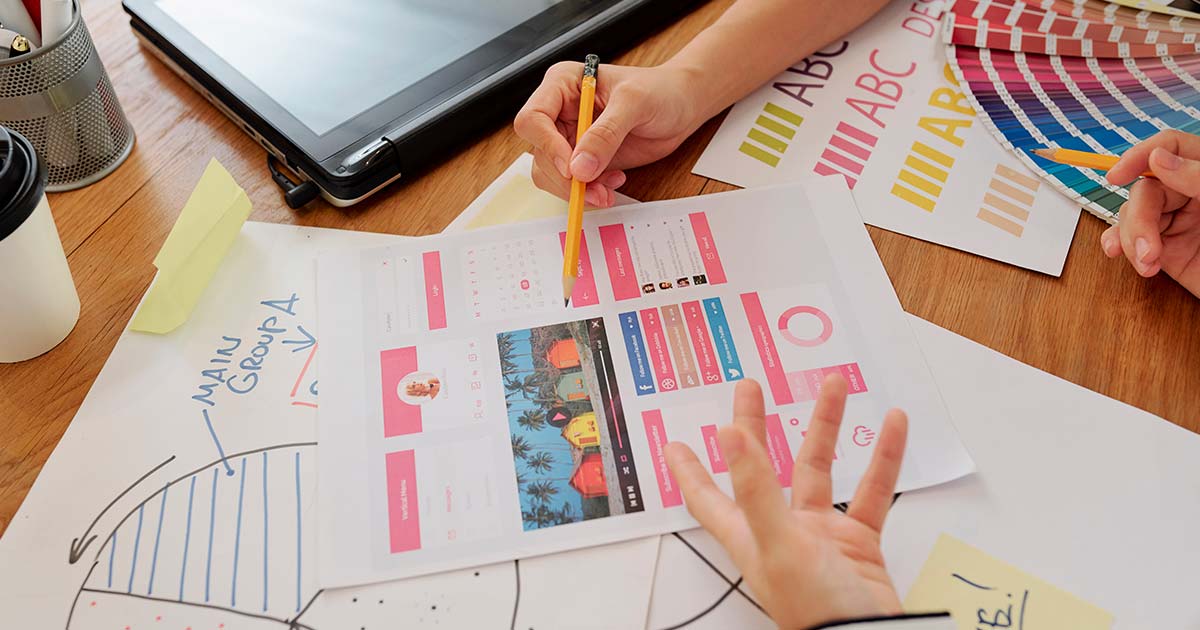
We’re going to dive into the world of graphic design and audiovisual production. This might sound intimidating, but you don’t necessarily need to learn graphic design. What you will learn is the fundamental information you need to know exactly what you require for each piece of advertising or any element of your business that carries your brand design.
In this article, I explain image formats, audio and video standards, the main software tools, and where to find resources for your visual content.
📌 Why You Need to Understand Graphic Design Basics
Even if you hire designers, understanding the basics helps you:
- Communicate clearly with your design team
- Make informed decisions about your visual identity
- Choose the right formats for different uses
- Avoid costly mistakes in printing or publishing
- Evaluate quality of the work you receive
💡 You don’t need to be a designer. You need to speak the language so you can work effectively with designers.
📋 Image Formats: Bitmap vs. Vector
You’ll hear the word “format” very often, as different advertising solutions require different image, audio, or video formats. The first distinction to understand is between bitmap and vector images.
Bitmap (Raster) Images
In bitmap images, each pixel is assigned a color and positioned using X and Y coordinates to form the image. These images are made of a fixed grid of pixels.
| Characteristic | Description |
|---|---|
| Composition | Pixels (tiny colored squares) |
| Scalability | Becomes blurry when enlarged beyond original size |
| Best for | Photographs, complex gradients, realistic images |
Vector Images
Vector images are made of polygons formed by nodes (points that can be repositioned). This makes them infinitely scalable without losing quality.
| Characteristic | Description |
|---|---|
| Composition | Mathematical paths and curves |
| Scalability | Can be enlarged infinitely without losing quality |
| Best for | Logos, illustrations, icons, typography |
💡 Logos should always be created in vector format so they look sharp on a business card and on a billboard.
🖼️ Common Image File Formats
| Format | Type | Best For |
|---|---|---|
| JPG/JPEG | Bitmap | Photographs, web images where file size matters |
| PNG | Bitmap (transparent background) | Logos on websites, images needing transparency |
| GIF | Bitmap (animated, transparent) | Simple animations, memes |
| WebP | Bitmap | Modern web images (smaller size, good quality) |
| TIFF | Bitmap | High-quality print, professional photography |
| BMP | Bitmap | Uncompressed images (large files) |
| SVG | Vector | Logos, icons, illustrations for web |
| EPS | Vector | Print materials, logos for professional printing |
💡 For your logo, request SVG or EPS files. For website photos, use JPG or WebP. For images with transparency, use PNG.
🎵 Audio File Formats
| Format | Description | Best For |
|---|---|---|
| MP3 | Compressed, widely compatible | Podcasts, music streaming, web audio |
| WAV | Uncompressed, high quality | Professional audio, editing |
| AAC | Better compression than MP3 | Music streaming (Apple Music, YouTube) |
| Ogg Vorbis | Open source, high quality | Web audio, gaming |
| WebA | Optimized for web | Browser audio playback |
🎬 Video File Formats
| Format | Description | Best For |
|---|---|---|
| MP4 | Most widely compatible, good compression | Web videos, social media, general use |
| AVI | Large files, high quality | Video editing, archiving |
| MOV | Apple QuickTime format | Professional editing, Mac workflows |
| WMV | Windows Media format | Windows-based workflows |
| WebM | Optimized for web | Browser video playback |
🎨 Color Models
| Model | Description | Best For |
|---|---|---|
| RGB | Red, Green, Blue — digital color | Web, screens, digital displays |
| HEX | Hexadecimal code (e.g., #FF5733) | Web design, CSS |
| CMYK | Cyan, Magenta, Yellow, Black — printing | Business cards, brochures, print materials |
| Pantone | Standardized color system | Screen printing, brand color consistency |
⚠️ Important: Always design digital materials in RGB and print materials in CMYK. Colors appear differently between screen and paper.
🛠️ Graphic Design and Audiovisual Software
There are many programs for graphic design and audiovisual production. Some are powerful and robust, while others are simpler but equally capable for certain tasks.
Adobe Creative Cloud
Adobe CC is a suite of professional tools. The cost is reasonable and definitely worth it for serious creative work. If you’re looking for free alternatives, I’ve listed options below—though some may have limitations in functionality and file compatibility.
Adobe Photoshop
Photoshop is designed for bitmap editing but can also export vectors when shapes are used. It’s the most used tool for photomontages and photo editing.
| Aspect | Detail |
|---|---|
| Purpose | Photo editing, photomontage, digital painting |
| Editable format | PSD |
| Best for | Editing photos, creating web graphics, digital art |
Free Alternatives:
| Software | Description |
|---|---|
| GIMP | Powerful open-source alternative, very capable |
| Pixlr | Web-based, easy to use |
| PhotoPea | Web-based, interface similar to Photoshop |
| Krita | Excellent for digital painting |
| Paint.NET | Simple but effective for Windows |
| Photo Pos Pro | User-friendly for beginners |
Adobe Illustrator
Illustrator is designed for creating vectors and can also export bitmaps. It’s the most used tool for graphics like illustrations, logos, iconography, flyers, and brochures.
| Aspect | Detail |
|---|---|
| Purpose | Vector graphics, logo design, illustration |
| Editable format | AI |
| Best for | Logos, icons, illustrations, print materials |
Free Alternatives:
| Software | Description |
|---|---|
| Inkscape | Powerful open-source vector editor |
| Gravit Designer | Good for beginners, cloud-based option |
| Figma | Excellent for UI/UX and vector design |
| Vectr | Simple, web-based vector tool |
| Vectornator | Great for iPad users |
Adobe InDesign
InDesign is a page layout and design program for print and digital media like magazines, newspapers, books, brochures, catalogs, and other multi-page publications.
| Aspect | Detail |
|---|---|
| Purpose | Page layout, multi-page documents |
| Editable format | INDD |
| Best for | Brochures, catalogs, magazines, books |
Free Alternatives:
| Software | Description |
|---|---|
| Scribus | Open-source desktop publishing |
| Lucidpress | Web-based, easy to use |
| Affinity Publisher | Affordable professional alternative |
| Canva | Simple, web-based design for non-designers |
Adobe Audition
Audition is designed for audio production and editing. It’s the most used tool by audio engineers.
| Aspect | Detail |
|---|---|
| Purpose | Audio recording, editing, mastering |
| Editable format | SESX |
| Best for | Podcasts, voiceovers, music editing |
Free Alternatives:
| Software | Description |
|---|---|
| Audacity | Open-source, very capable audio editor |
| Ocenaudio | Simple, user-friendly |
| Ardour | Professional open-source DAW |
| WavePad | Free for non-commercial use |
| WaveShop | Simple audio editor |
Adobe Premiere
Premiere is a non-linear video editing program used for editing and assembling videos. It’s ideal for cutting and joining video clips, adjusting audio, and adding transitions and effects. It’s best for storytelling projects like documentaries, films, and promotional videos.
| Aspect | Detail |
|---|---|
| Purpose | Video editing, post-production |
| Editable format | PRPROJ |
| Best for | Documentaries, films, promotional videos |
Free Alternatives:
| Software | Description |
|---|---|
| DaVinci Resolve | Professional-grade, includes color grading |
| Shotcut | Open-source, cross-platform |
| Lightworks | Professional features in free version |
| HitFilm Express | Good for visual effects and editing |
| OpenShot | Simple, easy to learn |
Adobe After Effects
After Effects is an animation and visual effects program used to create motion graphics, special effects, animated titles, and more. It’s ideal for projects requiring creative visual effects like video intros, music videos, and TV commercials.
| Aspect | Detail |
|---|---|
| Purpose | Motion graphics, visual effects, animation |
| Editable format | AEP |
| Best for | Video intros, titles, animated graphics |
Free Alternatives:
| Software | Description |
|---|---|
| Blender | Powerful 3D and motion graphics |
| Natron | Open-source compositing software |
| HitFilm Express | Includes VFX capabilities |
| Fusion | Node-based compositing |
| OpenToonz | 2D animation software |
Adobe Animate
Animate is a vector animation and multimedia application that allows creating interactive content for different platforms like web, mobile, and television. Users can create animations, motion graphics, games, and interactive content.
| Aspect | Detail |
|---|---|
| Purpose | Vector animation, interactive content |
| Editable format | FLA |
| Best for | Web animations, interactive content, games |
Free Alternatives:
| Software | Description |
|---|---|
| OpenToonz | Professional 2D animation |
| Synfig Studio | Vector-based animation |
| Pencil2D | Simple 2D animation |
| TupiTube | Animation for beginners |
📚 Resources: Where to Find Visual Content
There are image banks—platforms where you can download images for your graphic projects. Many now offer all types of resources. Always check the license terms before using.
Types of Resources Available
| Resource Type | Examples |
|---|---|
| Images | Photographs, illustrations |
| Iconography | Icons, symbols, glyphs |
| Graphics | Charts, diagrams, decorative elements |
| Templates | Graphic templates, presentation templates |
| Videos | Stock footage, video clips |
| Music | Background music, jingles |
| Sound effects | Beeps, ambient sounds, effects |
| Fonts | Typography for designs |
| Web templates | Website themes, UI kits |
| Add-ons | Plugins, extensions for software |
Free Resources
| Platform | Best For |
|---|---|
| Freepik | Vectors, photos, PSD files |
| Pixabay | Photos, vectors, videos, music |
| Vecteezy | Vectors, stock photos |
| GraphicPear | Free vectors and graphics |
| GraphicBurger | Mockups, UI kits, graphics |
| Flaticon | Icons (Freepik’s icon library) |
| Pexels | Videos and photos |
| Videezy | Stock video footage |
| Free Music Archive | Royalty-free music |
| Musopen | Classical music recordings |
| YouTube Audio Library | Music and sound effects for videos |
| DaFont | Free fonts |
| Font Squirrel | Commercial-use fonts |
| 1001 Fonts | Free fonts |
| Google Fonts | Web fonts |
| Font Awesome | Icon library |
Paid Resources
| Platform | Best For |
|---|---|
| Envato Elements | Unlimited downloads of everything |
| Shutterstock | High-quality stock photos, video, music |
| Creative Market | Design assets, fonts, templates |
| Adobe Stock | Integrated with Adobe CC |
| iStock | Stock photos, vectors, video |
| 123RF | Affordable stock media |
| Pond5 | Video footage, music, effects |
| Storyblocks | Unlimited video, audio, images |
| AudioJungle | Music and sound effects |
| EpidemicSound | Music for video creators |
| PremiumBeat | High-quality royalty-free music |
| Soundstripe | Music and sound effects |
💡 If you create regular content, a subscription like Envato Elements often provides the best value.
📋 Quick Reference: What to Ask Your Designer
| Need | What to Request |
|---|---|
| Logo | SVG or EPS (vector), plus PNG with transparent background |
| Print materials | CMYK color, high-resolution (300 DPI), TIFF or PDF |
| Web graphics | RGB color, 72 DPI, JPG or PNG |
| Video | MP4 for web, MOV or AVI for editing |
| Audio | MP3 for web, WAV for editing |
| Fonts | Web fonts for sites, OTF or TTF for print |
📚 Useful Internal Links
✅ Conclusion
Understanding the basics of graphic design and audiovisual production doesn’t mean you have to become a designer. It means you can communicate effectively with designers, make informed decisions, and avoid costly mistakes.
Remember:
- Know the difference between bitmap and vector
- Choose the right file format for each purpose
- Understand RGB vs. CMYK for screen vs. print
- Use free resources to start, invest in paid subscriptions as you grow
- Communicate clearly with your design team
Your visual identity is how the world sees your business. Make sure you understand the tools and language to get it right.
Speak the language. Make informed choices. Build a consistent visual identity.