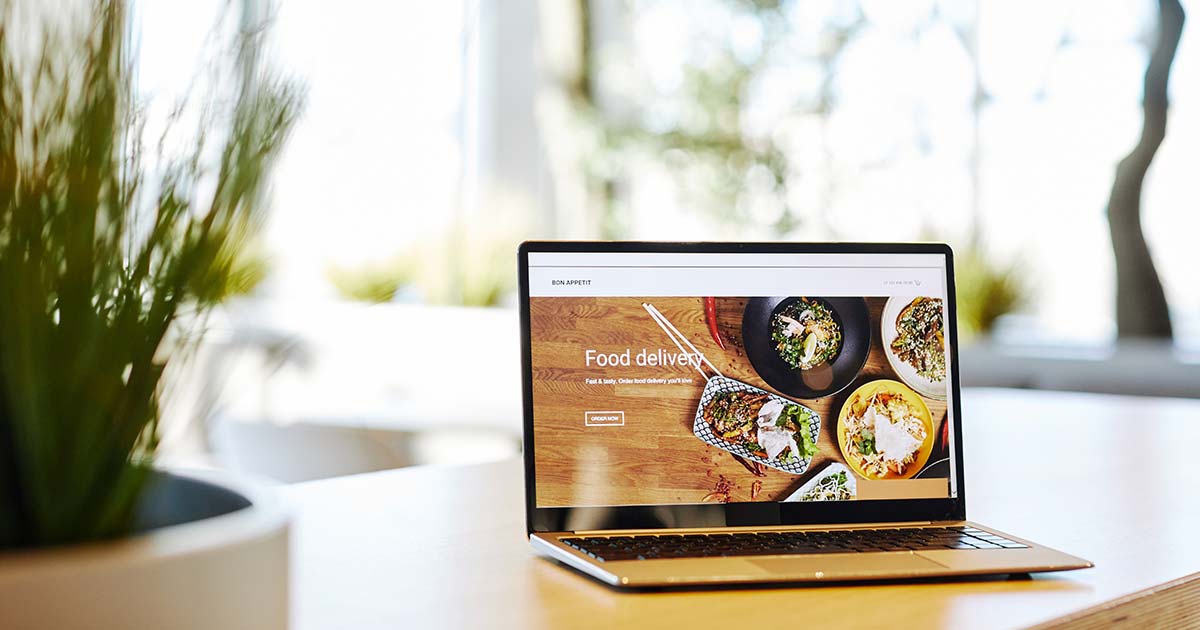
Not all websites are the same. Depending on your business goals, you may need a simple informational site, an online store, a membership platform, or a complex custom system. Understanding the different types of websites helps you make informed decisions about what to build and why.
In this article, I explain the most common types of websites, what they’re used for, and examples of each.
📌 Why Understanding Website Types Matters
| Reason | Why It Matters |
|---|---|
| Match your goals | Different goals require different types of sites |
| Budget appropriately | Complex sites cost more to build and maintain |
| Choose the right tools | Some platforms are better suited for specific types |
| Set expectations | Know what features are standard vs. custom |
| Plan for growth | Some types scale better than others |
💡 Choosing the right type of website for your needs is as important as choosing the right location for a physical store.
📋 The Main Types of Websites
1. Informational Websites
Informational websites focus on providing information about a specific topic, business, or organization. Their goal is to educate visitors about a subject, product, or service. No transactions occur on these sites.
Common uses:
- Business websites (company information, contact, services)
- Non-profit organizations
- Government sites
- Blogs
- News sites and magazines
Examples:
- Gobierno de México – Official government information
- The New York Times – News and journalism
- Wikipedia – Free encyclopedia
💡 Informational sites are often the first step for businesses establishing an online presence.
2. Content Management Systems (CMS)
A CMS is not a type of website but a platform for creating and managing websites. CMS platforms allow users without technical programming and design knowledge to create and manage their own websites.
Popular CMS platforms:
- WordPress – The most popular CMS, powering over 40% of websites
- Drupal – More complex, suitable for large organizations
- Joomla – Middle ground between WordPress and Drupal
💡 A CMS is often the foundation for informational sites, blogs, and even e-commerce stores.
3. E-commerce Websites
E-commerce websites allow users to purchase products or services online. They include shopping carts, payment processing, inventory management, and order tracking.
Common features:
- Product catalog with images and descriptions
- Shopping cart
- Payment gateway integration (credit cards, PayPal, etc.)
- Order confirmation and tracking
- Customer accounts
Examples:
- Adidas Mexico – Brand e-commerce
- Walmart Mexico – Retail e-commerce
- Mercado Libre – Marketplace (also a marketplace)
💡 E-commerce sites can be built on platforms like Shopify, WooCommerce (WordPress), or Magento.
4. Marketplaces
Marketplaces connect buyers and sellers to facilitate the purchase and sale of products and services. The marketplace operator doesn’t own the inventory—they provide the platform for transactions.
Common features:
- Seller accounts
- Product listings
- Rating and review systems
- Transaction processing
- Dispute resolution
Examples:
- Mercado Libre – Latin America’s largest marketplace
- Amazon – Global marketplace
- Etsy – Handmade and vintage goods
💡 Marketplaces require more complex development than standard e-commerce because they serve two user groups: buyers and sellers.
5. Listing or Classifieds Websites
Listing sites allow users to create ads for different types of transactions—sales, rentals, services, or agreements. They often focus on specific categories like housing, jobs, or services.
Common features:
- User accounts
- Ad creation and management
- Search and filters
- Messaging between users
- Featured listings (paid)
Examples:
- Segundamano – Mexican classifieds
- Airbnb – Short-term rentals
- Uber Eats – Food delivery listings
💡 Listing sites often operate on a freemium model—free basic listings, paid for premium placement.
6. Betting and Gambling Websites
These sites allow users to place bets on sports, casino games, or other events. They are heavily regulated and require specific licenses to operate legally.
Common features:
- User accounts with verification
- Deposit and withdrawal systems
- Live odds and betting lines
- Transaction history
- Responsible gambling tools
Examples:
- Bet365 – Global sports betting
- Caliente – Mexican sportsbook and casino
- Playdoit – Mexican lottery and betting
⚠️ Betting sites require legal compliance with local regulations. In Mexico, they must be licensed by SEGOB.
7. Learning Management Systems (LMS)
LMS platforms are used in educational settings to manage and deliver online learning content. They include tools for course creation, user management, assessments, and reporting.
Common features:
- Course creation and structuring
- Video and document hosting
- Quizzes and assignments
- Progress tracking
- Certificates of completion
- Student and instructor accounts
Examples:
- Moodle – Open-source LMS, widely used in education
- Canvas – Popular in universities
- Blackboard – Enterprise LMS
💡 LMS platforms can be self-hosted (like Moodle) or cloud-based (like Canvas).
8. ERP Systems (Enterprise Resource Planning)
ERP systems manage business resources—finance, human resources, inventory, production, and more. They are complex systems designed to integrate all business operations into a single platform.
Common features:
- Financial management (accounting, budgeting)
- Human resources (payroll, recruitment)
- Inventory management
- Supply chain management
- Customer relationship management (CRM)
- Reporting and analytics
Examples:
- SAP – Enterprise ERP leader
- Oracle NetSuite – Cloud ERP for growing businesses
- Odoo – Open-source ERP for small to medium businesses
💡 ERP systems are typically for medium to large businesses. Small businesses often start with specialized tools before moving to ERP.
9. WMS (Warehouse Management Systems)
WMS platforms manage inventory in warehouses and distribution centers. They track stock, manage orders, and optimize warehouse operations.
Common features:
- Inventory tracking (real-time)
- Order picking and packing
- Shipping integration
- Barcode scanning
- Stock alerts and reorder points
- Reporting and analytics
Examples:
- SAP Warehouse Management – Enterprise WMS
- Manhattan Associates – Supply chain and WMS specialist
- Fishbowl – WMS for small to medium businesses
💡 For small businesses, inventory management is often built into e-commerce platforms or accounting software.
10. TMS (Transportation Management Systems)
TMS platforms manage transportation logistics—route planning, shipment tracking, carrier assignment, and billing. They are used by logistics companies, manufacturers, and retailers.
Common features:
- Route optimization
- Carrier selection and rate comparison
- Shipment tracking
- Delivery confirmation
- Freight audit and payment
- Reporting and analytics
Examples:
- SAP Transportation Management – Enterprise TMS
- MercuryGate – Cloud TMS
- ShipBob – Fulfillment and shipping platform
💡 For small businesses, shipping is often managed through e-commerce platforms or shipping software like ShipStation.
11. Social Networks
Social networks allow users to create profiles, connect with others, and share content online. They are platforms for community building, communication, and content distribution.
Common features:
- User profiles
- Content sharing (text, images, video)
- Following/friending
- Messaging
- Groups and communities
- Advertising platforms
Examples:
- Facebook – Largest social network
- Instagram – Visual content sharing
- LinkedIn – Professional networking
- TikTok – Short-form video
💡 Building your own social network is extremely complex. Most businesses use existing platforms to reach audiences.
12. Membership Sites
Membership sites require users to pay a recurring fee (subscription) to access content, services, or community features.
Common features:
- User accounts
- Subscription management (recurring payments)
- Gated content (content only for members)
- Community features (forums, groups)
- Member directories
Examples:
- Netflix – Video streaming membership
- Spotify – Music streaming membership
- El Economista – News with subscription content
💡 Membership sites can be built with plugins on WordPress (MemberPress, Restrict Content Pro) or specialized platforms like Kajabi.
13. Search Engines
Search engines help users find information online by indexing web pages and ranking them based on relevance to search queries.
Common features:
- Web crawling and indexing
- Search algorithms
- Result ranking
- Advertising systems
- User analytics
Examples:
- Google – Dominant global search engine
- Bing – Microsoft’s search engine
- Yahoo – Search and web services
💡 Building a search engine is extremely complex and requires massive infrastructure. Most businesses focus on optimizing for existing search engines rather than building their own.
14. Custom Development
Custom development refers to websites or applications designed and built specifically to meet a particular client’s needs. Instead of using an existing platform or software, a custom solution is created from scratch.
When to choose custom development:
- Your business has unique processes that no off-the-shelf software handles
- You need to integrate multiple systems
- You plan to scale to millions of users
- You need complete control over security and data
- You have a competitive advantage that requires custom features
Examples:
- Large enterprise portals (like airline booking systems)
- Specialized business applications
- Unique marketplace platforms
- Complex SaaS (Software as a Service) applications
💡 Custom development is the most expensive option but offers complete flexibility. Consider it when off-the-shelf solutions cannot meet your needs.
📊 Comparison Table: Website Types at a Glance
| Type | Purpose | Complexity | Best For |
|---|---|---|---|
| Informational | Share information | Low | Businesses, blogs, organizations |
| CMS | Manage content | Low-Medium | Anyone needing to update content easily |
| E-commerce | Sell products online | Medium | Retail, direct-to-consumer brands |
| Marketplace | Connect buyers and sellers | High | Platforms, multi-vendor businesses |
| Listing | Classified ads, rentals | Medium | Services, rentals, local businesses |
| LMS | Deliver online education | Medium-High | Educators, trainers, course creators |
| ERP | Manage business resources | High | Medium to large enterprises |
| WMS | Manage warehouse inventory | Medium-High | Logistics, distribution centers |
| TMS | Manage transportation | Medium-High | Logistics, shipping companies |
| Social Network | Connect people | Very High | Community platforms |
| Membership | Subscription content | Medium | Content creators, media companies |
| Search Engine | Find information | Very High | Technology companies |
| Custom Development | Unique requirements | Variable | Businesses with specialized needs |
🗣️ Questions to Ask Before Choosing Your Website Type
| Question | Why It Matters |
|---|---|
| What is the primary goal of the site? | Different goals require different types |
| Will users make purchases on the site? | If yes, you need e-commerce functionality |
| Will there be multiple user types? | Marketplaces need buyer and seller accounts |
| Will content be updated frequently? | If yes, consider a CMS |
| Do you need to accept recurring payments? | If yes, you need membership/subscription features |
| Will you manage inventory or shipping? | If yes, consider WMS or TMS integration |
| Do you need to scale to large numbers of users? | If yes, plan for robust infrastructure |
| What is your budget for development? | Custom development costs more than platforms |
| What is your timeline? | Complex sites take longer to build |
📚 Useful Internal Links
- Websites: Your Digital Presence – Complete Guide for Business Owners
- Digital Infrastructure: What Every Business Owner Needs to Know
- Business Automation: Building Systems That Work for You
✅ Conclusion
Understanding the types of websites helps you make informed decisions about what to build, what tools to use, and how much to budget.
Remember:
- Start with your business goal, then choose the type of site that serves it
- Many sites combine types (e.g., an e-commerce site with a blog)
- Platforms like WordPress can power multiple types (informational, e-commerce, membership)
- Custom development is for unique needs that off-the-shelf solutions can’t meet
- Plan for growth—your site type may evolve as your business grows
Your website is one of your most valuable business assets. Choose the type that aligns with your goals, budget, and long-term vision.
Choose wisely. Build intentionally. Grow confidently.